An insight layer for Microsoft Dynamics 365

Your CRM lists every lead and opportunity. It can't tell you which one matters today.

Pipeline Pulse installs on top of Dynamics 365 and tells your reps which accounts to call today and exactly why. It's configured around your clients, your geography, and the signal criteria that move your deals.

30-day free trial · Your data · No upfront payment
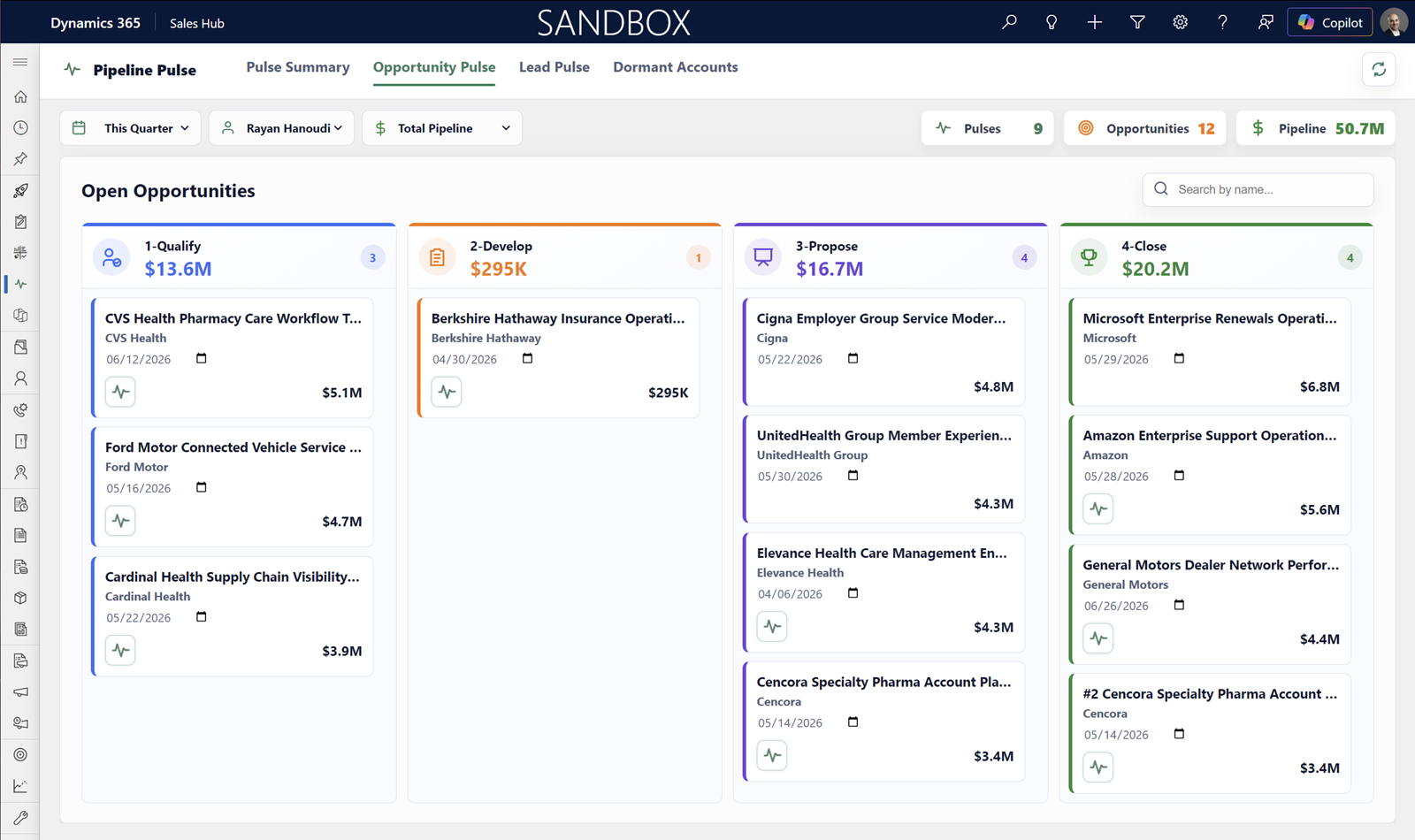
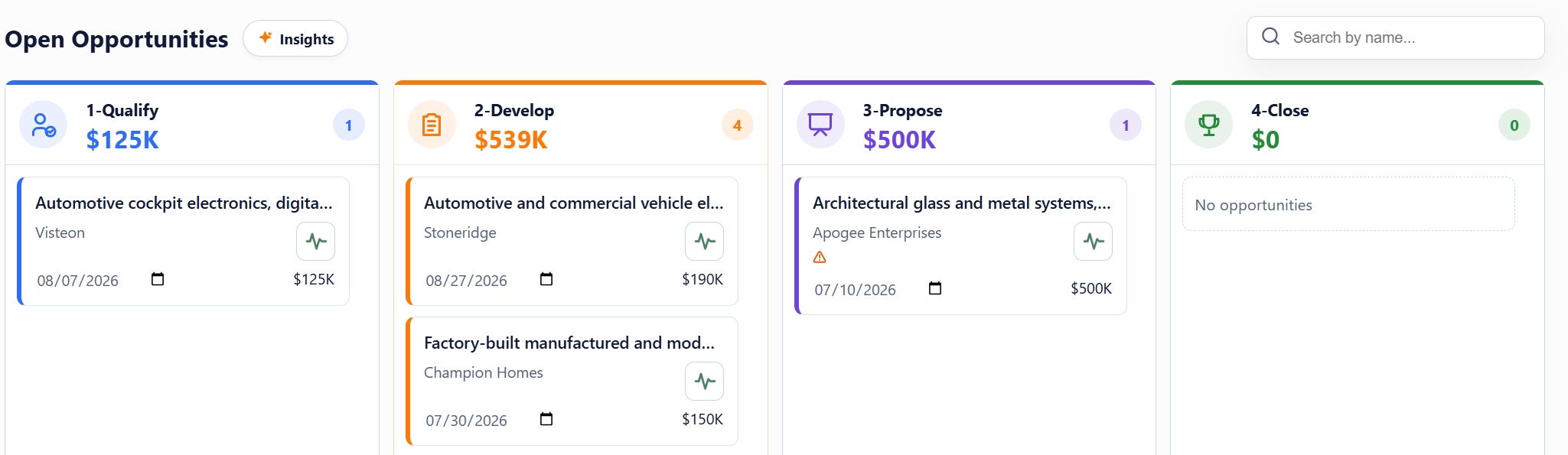
Pipeline Pulse Opportunity Pulse kanban view inside Microsoft Dynamics 365, with accounts ranked by AI-scored signals
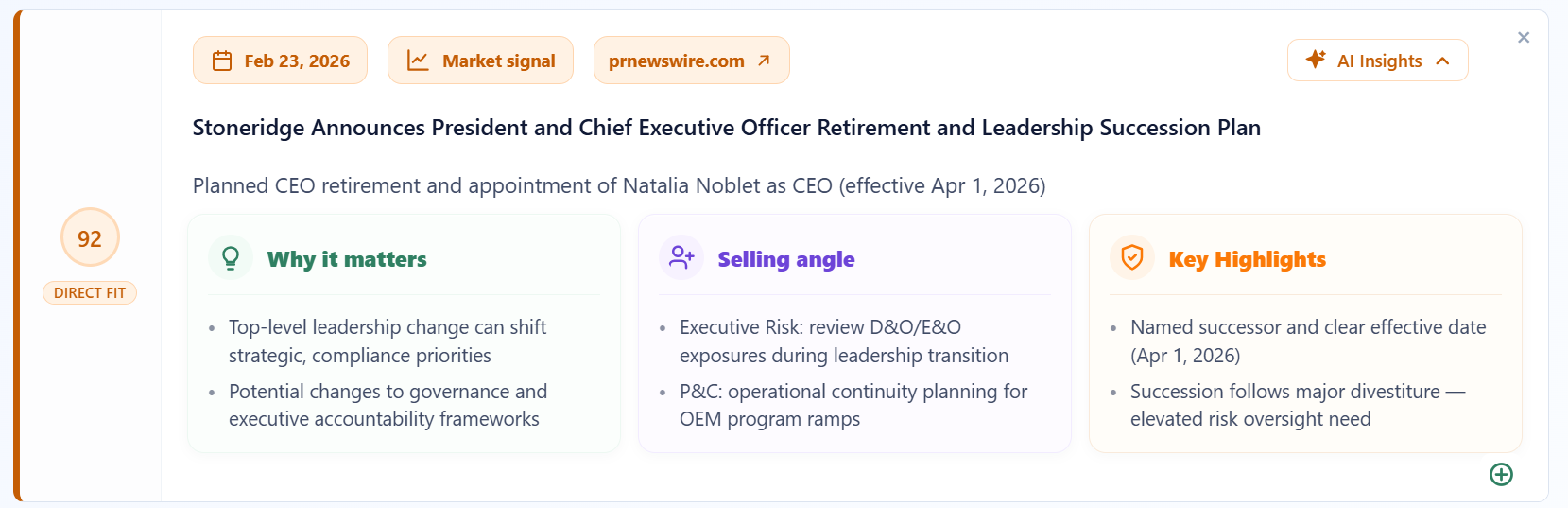
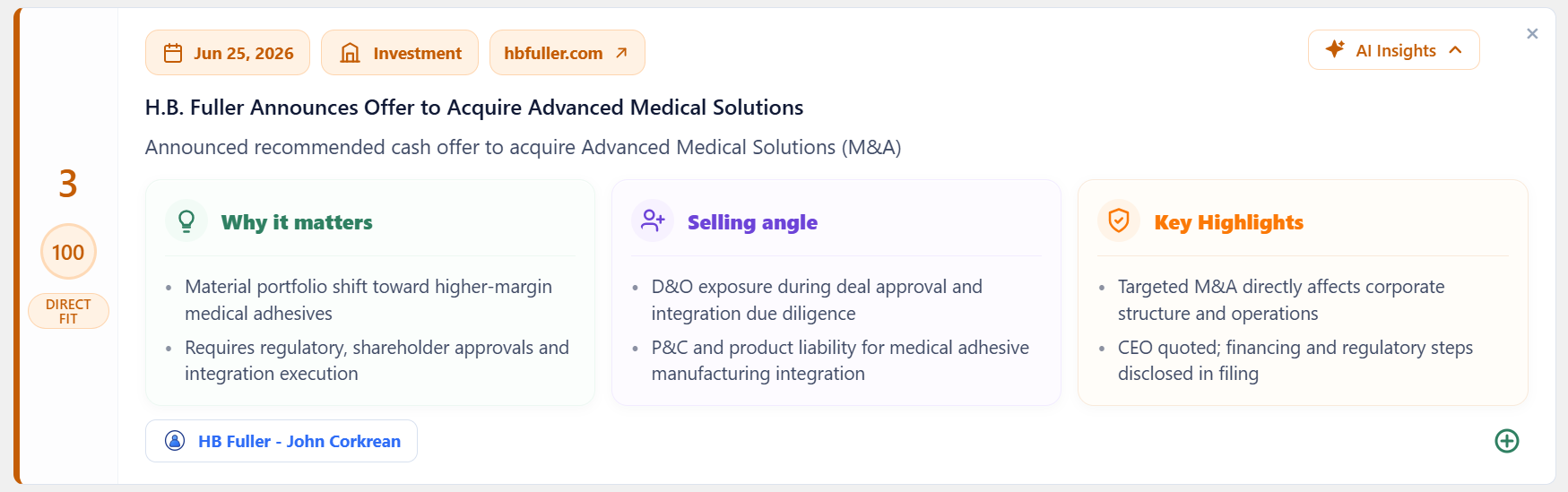
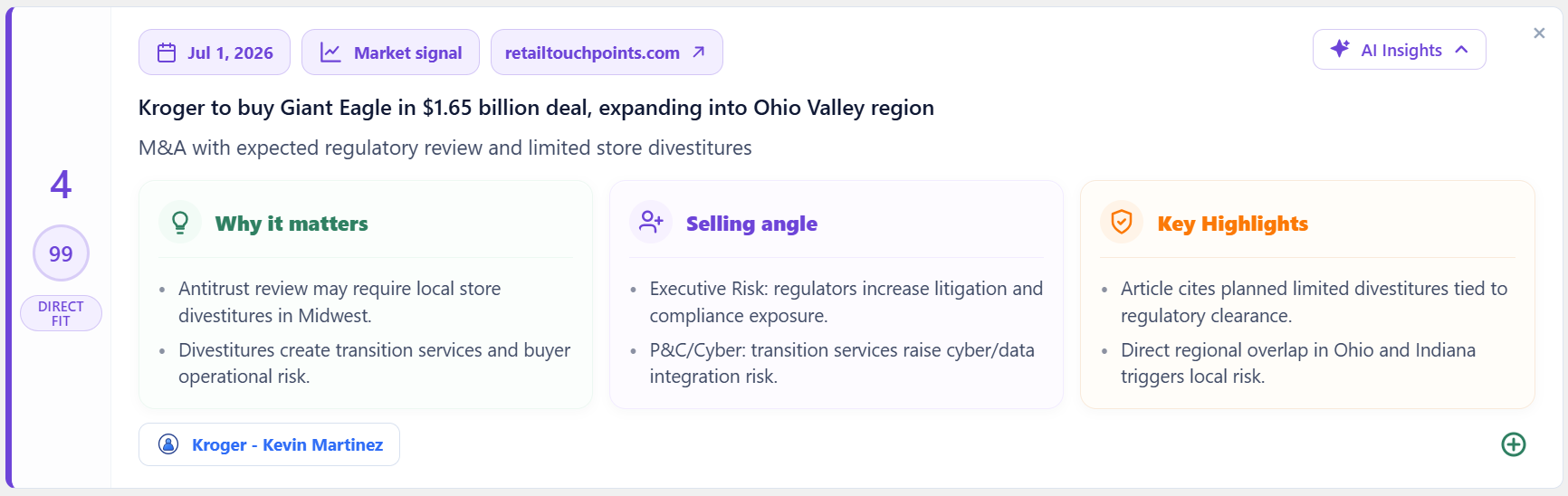
Pulse · Why this matters

UnitedHealth Group announced $1.2B+ in affordable-housing investments this year, with explicit HVAC and renovation budget your team can position against this week.

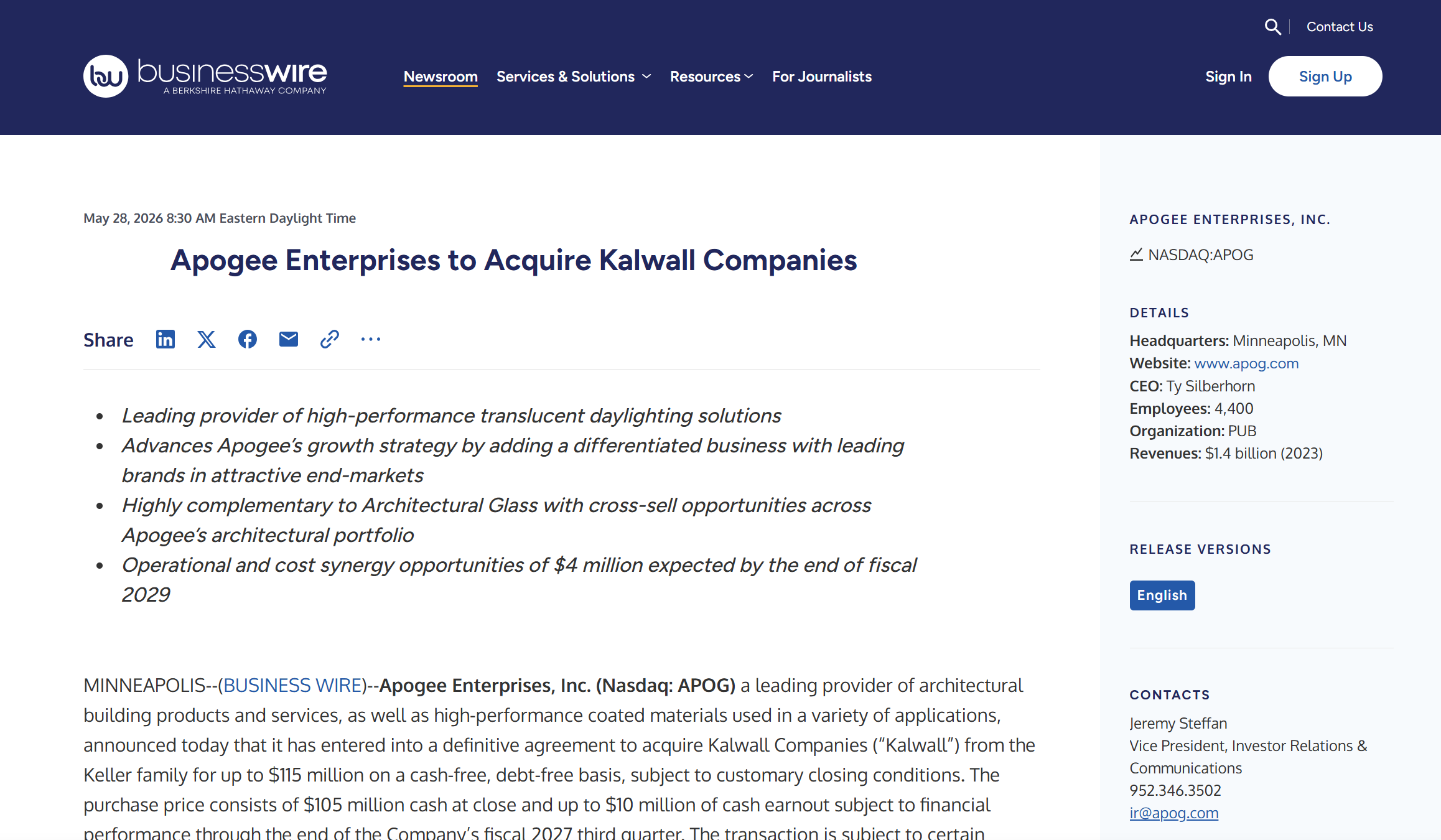
Source: BusinessWire · 2d ago
100+
Dynamics deployments

Built and shipped by a team that has lived inside Dynamics 365 for a decade.

MSFT
Certified partner

Pipeline Pulse installs as a Microsoft AppSource solution, reviewed and signed.

AI Signals
FROM NEWS TO NEXT STEP

Pulse turns outside signals into the selling angle and next action for each account.

24hr
From install to insight

About one hour of IT time on install day. Live insights by the next business day.

The daily reality

Reps start their day staring at a list of leads. None of it tells them which one matters today.

01

Reps start the day without a plan

The CRM shows every open lead and opportunity, ranked by whatever they last clicked. There's no signal for what's moved since Friday.

02

The best leads get lost in the list

A $40K lead and a $4M lead live in the same view, sorted the same way. The reps who hit number are the ones with the time to dig. The rest don't.

03

News that could open a deal sits unread

An account just opened a new plant, lost a CFO, announced a funding round. Somewhere a press release went out. Your rep finds out on the call, from the buyer.

04

Managers run pipeline reviews on stale data

Stage hasn't moved in three weeks. Reason: unknown. The review becomes a status meeting with no decisions and no next steps.

Why this happens

It isn't that your reps are bad at prioritizing. The system underneath them was never built to tell them what mattered today.

The CRM was designed to record, not to recommend.Dynamics is built around fields, stages, and reports. It captures what already happened. It was never meant to look outward at the world your accounts are actually operating in.

News and signals live outside the system of work.Press releases, earnings calls, leadership changes, expansions. All of it lives in 14 browser tabs your rep doesn't have time to open between calls.

Every rep does this work alone, badly.The good ones build their own watchlists. The rest don't. The result is a team where prioritization quality varies wildly by who happens to be on the account.

The shift

From static CRM to active sales guidance.

Most CRMs drift into databases where reps log what already happened. Pulse makes the CRM the place reps go first. Because it tells them what to do next, and why.

Every insight is tied to a real account in your pipeline. Every signal comes with a plain-English explanation of why it matters. The result is a sales team that spends less time researching and more time in front of customers.

What good looks like

A pipeline that tells you where to spend the next hour.

Not more dashboards. Not more reports. Two things on every card: the correct signal (matched to your accounts, your geography, your criteria) and the AI insight that names the selling angle and the next action.

The signal: news that matters to your pipeline

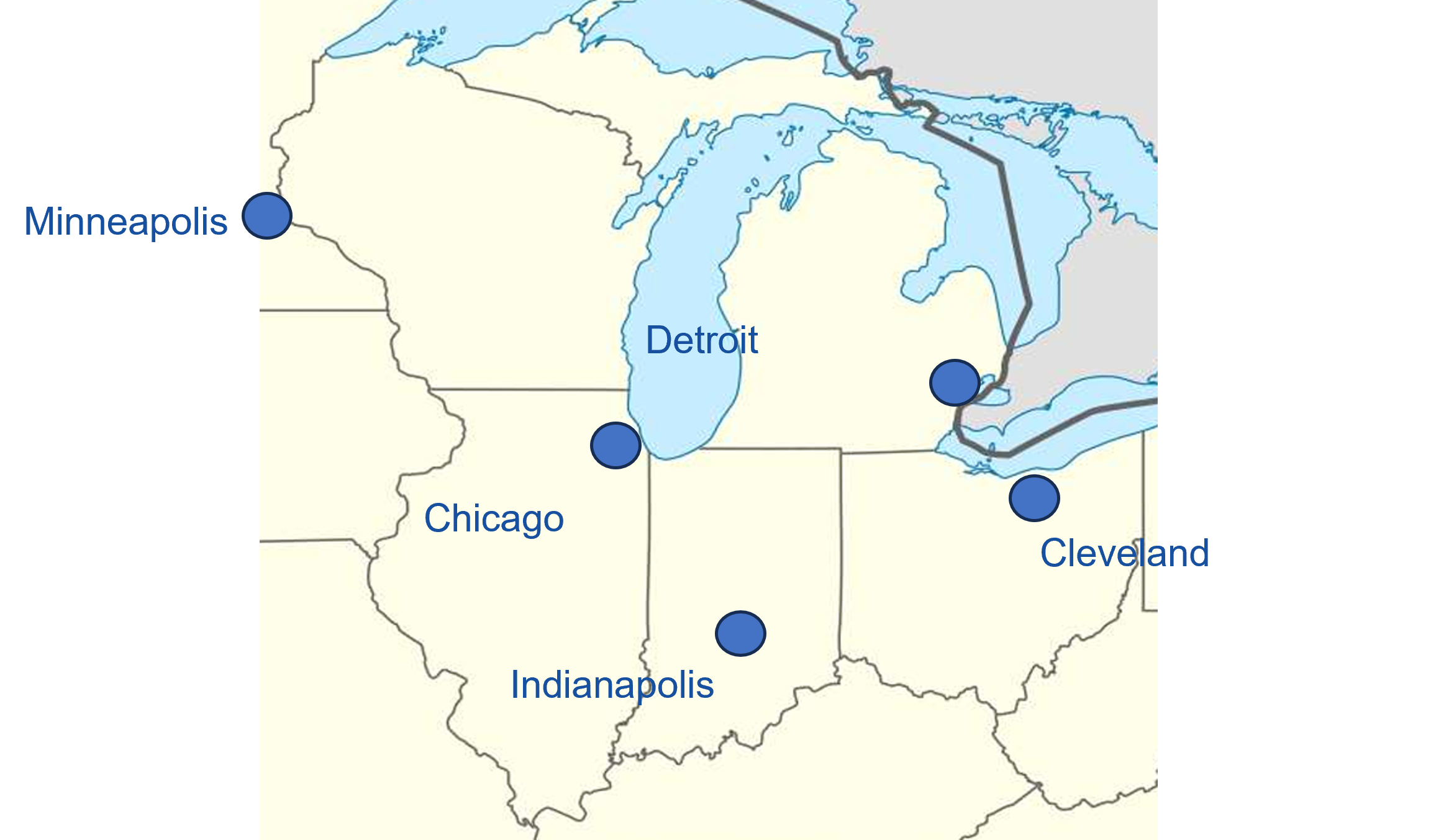
Every morning, a ranked list of accounts where something just changed, filtered against your industries, ICP, and the territories, cities, states, and regions your team actually sells into.

The insight: what to do about it

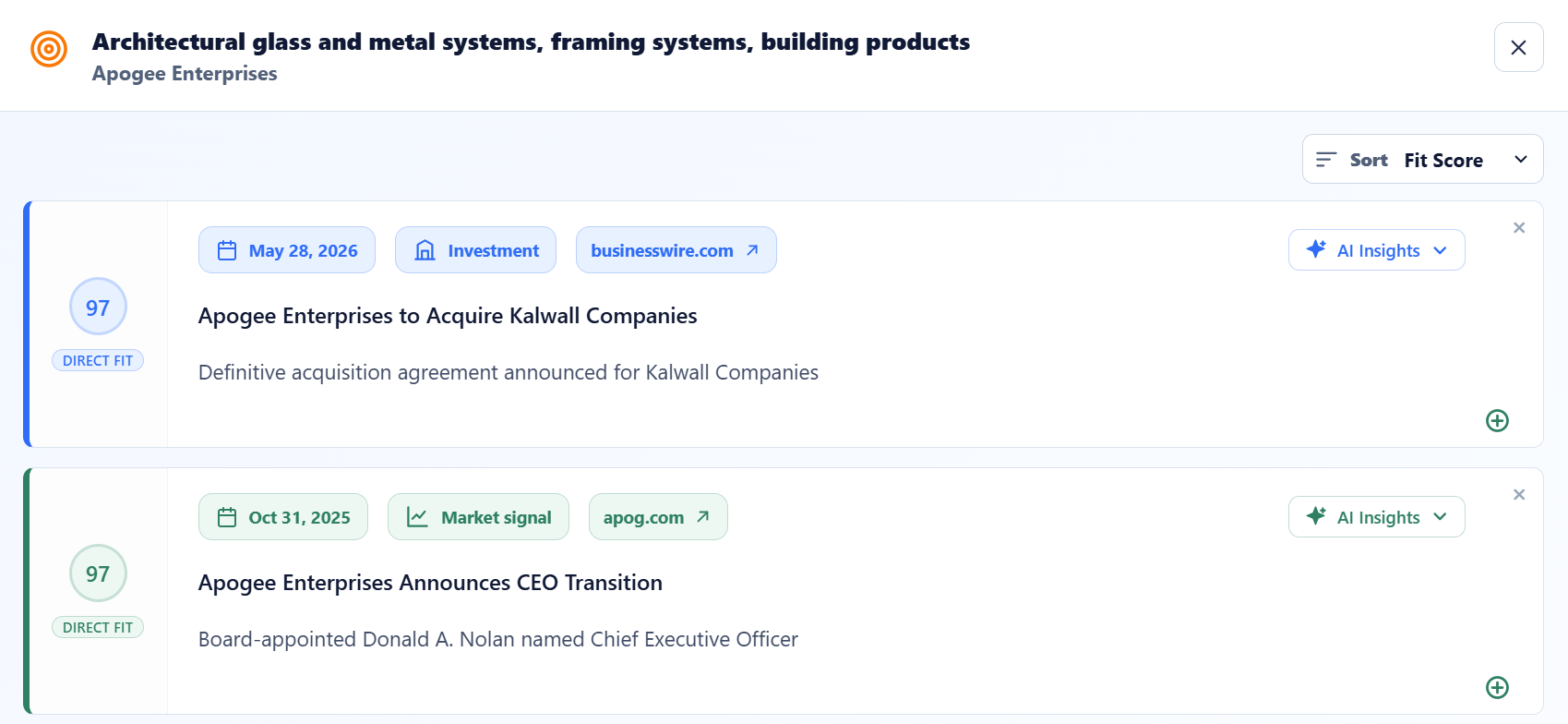
Each card carries an AI-written angle, not a summary. It interprets the news against your offering and the account's stage, then names the selling angle and the next action. The "so what" lives next to the data.

Managers see the whole board, scored

Pulse Summary rolls up every rep's pipeline into one view, weighted by recent signal, so the Monday review starts at the accounts that need a decision.

In their pocket, not on their desk

Reps live in the Dynamics 365 mobile app between meetings. Pulse rides along: same ranked feed, same AI angles, same source links, on the phone they already carry.

Built for the field

Most reps open Pulse from a parking lot, not a desk.

Because Pulse lives inside Dynamics, every view (scored cards, AI-written angles, source links) rides along on the Dynamics 365 mobile app your reps already have installed. No second app to push through IT, no second login to forget. The screen on the right is the one a rep is looking at right before they walk into the meeting.

  • 07:42AM · DRIVEWAY Glance at the top three hot accounts before pulling onto the highway.
  • 11:08AM · LOBBY Open the account card. Read the one-paragraph angle the AI wrote this morning.
  • 3:30PM · BETWEEN CALLS Tap a source link, skim 90 seconds of context, walk in already up to speed.
Pipeline Pulse running inside the Microsoft Dynamics 365 mobile app, showing a ranked feed of accounts with AI-written selling angles
What we do

The mechanics, in plain language.

Pipeline Pulse is a small Dynamics solution and a hosted AI service, tuned to your business in a setup session before it goes live. Five steps and you're running against your own pipeline.

Step 01

Configure to your sales motion

A working session with your team to define the signals that matter: your clients, industries, geographies, ICP, and what kind of news actually moves a deal. Pulse is tuned to your business, not the internet.

Step 02

Install the solution

A one-time signed package goes into your Dynamics environment. It adds three views (Pulse Summary, Opportunity Pulse, Lead Pulse) and an OAuth-secured, read-only connection back to us.

Step 03

We read Accounts & Leads

Pulse pulls four fields (name, website, city, state) from your Accounts and Leads. Nothing else leaves your tenant. The AI then scans public sources for news, filings, leadership moves, and operational signals, grounded to the right geography.

Step 04

Each signal is scored & explained

Two parts: first the correct signal, matched to your pipeline, geography, and criteria. Then an AI insight (not a summary) that names the selling angle and the next action for the rep.

Step 05

Reps see ranked work

Inside Dynamics, kanban views replace the data tables. Cards re-rank every morning by Pulse score, so the most actionable Accounts and Leads sit at the top of the list.

What gets installed

One Dynamics solution. ~1 hour of IT time. Live by the next business day.

  • The Pulse solution packageThree new entities and three model-driven views deployed into your Dynamics 365 environment.
  • An OAuth connectionRead-only access scoped to four fields (name, website URL, city, and state) on Accounts and Leads. Revocable from your Microsoft 365 admin at any time.
  • A refresh cadence you pickInsights re-score every 10 days, weekly, or daily depending on your tier. No additional setup per account.
What your team sees

Three tabs. The ones they'll actually open.

  • Pulse SummaryThe manager view. Pipeline rolled up by rep, weighted by signal, with a "needs attention" feed at the top.
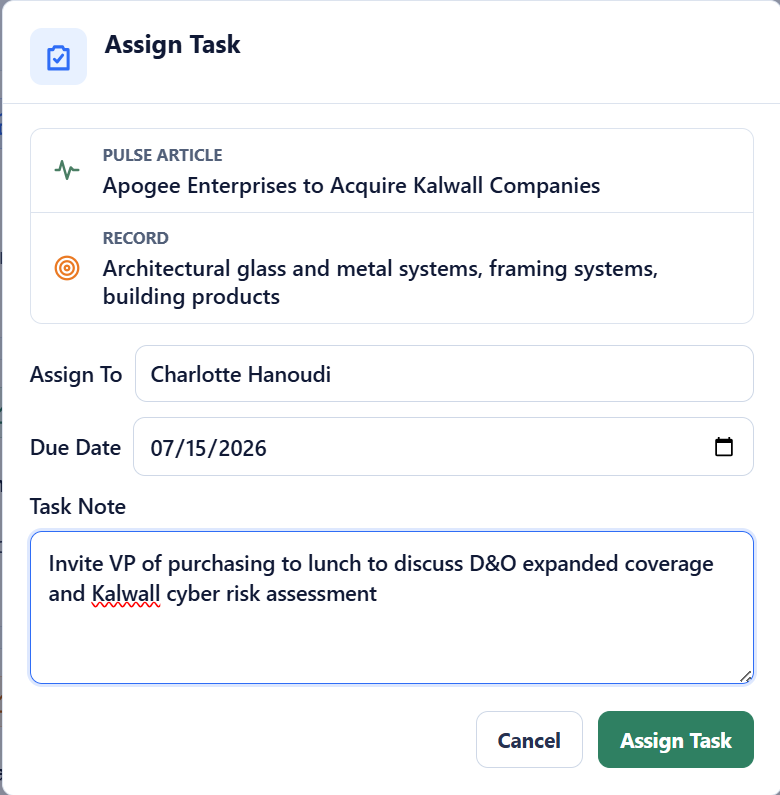
  • Opportunity PulseKanban board for open opportunities. Hot cards float to the top. Click any card for AI-written angle and source links.
  • Lead PulseSame shape, but for unqualified leads. Designed so SDRs can clear a daily call list in 20 minutes, not two hours.
30-day free trial

Try Pulse with your own pipeline.

Qualified prospects can run Pulse against their own Dynamics Accounts and Leads for 30 days, no upfront payment. See whether the signals are actually useful in your real sales environment before you decide anything.

Request a Demo
No procurement, no contract during the trial.
After the demo

What happens once you decide to move.

No procurement gauntlet. About an hour of IT time on install day, then up to 24 hours for the first monitored Pulse run. Most teams are in live Pulse views by the next business day.

Cadence

Choose how often Pulse re-scores your pipeline.

Every 10 days, weekly, or daily. The middle tier is what most teams land on. We'll show you why on the call and walk through pricing live.

1

Pick a cadence

Every 10 days, weekly, or daily. The middle tier is what most teams choose. We'll show you why on the call.

2

Schedule the install

Your IT lead, our engineer, about one hour. OAuth-secured, signed Microsoft solution package.

3

First Pulse goes live

Up to 24 hours after install, the first monitored Pulse run completes against your Accounts and Leads. Most teams are viewing live Pulse insights by the next business day.

4

A 30-day check-in

We sit with your sales managers and look at what's getting clicked, what's not, and what to tune for your team's stages.

Why teams work with BlueSky DT

A Dynamics partner that ships an AI product, not a slideware vendor that retrofitted one.

01

Deep Dynamics expertise

Ten years inside Dynamics 365. We don't sit on top of the data. We build inside the platform, using the same components Microsoft does. That's why Pulse looks like Dynamics, not a bolt-on.

02

AI built for sales context

The model is tuned for go-to-market signal: capacity changes, leadership moves, financial events, regulatory shifts. Not generic news summarization. The output is a selling angle, not a press release.

03

Focused on what reps actually use

Every product decision is run past working sales managers. If a screen doesn't earn its place in a rep's day, it doesn't ship. Pulse has three views. On purpose.

04

Hands-on implementation

You don't get handed a setup guide. Our team installs the solution, walks your sales managers through the views, and is on the line for the first 30 days. The same people you bought it from.

Who it's for

Built for every sales role.

Pulse adapts to the job the reader is actually doing when they open Dynamics.

Role 01

Account Executives

Start each day knowing which five accounts have new signals. Walk into calls with context already on the card. Spend less time researching and more time in conversations that move deals forward.

Role 02

Sales Managers

Run pipeline reviews from a ranked, signal-backed view. Spend meeting time on decisions (which deals need a push, which need a different approach) instead of status updates.

Role 03

Business Development Teams

A daily call list ranked by signal activity. Know which prospects just hired, expanded, raised funding, or changed leadership before you dial.

Role 04

Revenue Operations

CRM adoption goes up when the CRM gives reps something useful every day. Pulse creates the daily habit that makes your Dynamics investment pay off.

Signals Pulse watches for Tuned to your industries, accounts, and the cities, states, regions, and territories you sell into.
Lease renewals Hiring surges Funding events New office openings Acquisitions Operational changes Leadership transitions Regulatory filings Capacity expansions Geo-matched to your territory
Why Pipeline Pulse is different

Most tools stop at the signal. Pulse tells you what to do about it.

A news alert tells you something happened. Pulse tells you what to do about it for the specific account in your pipeline, right now.

01

CRM pipeline context

Pulse knows which accounts are in your pipeline and at what stage. Signals are filtered and ranked against your actual deals, so reps aren't sifting through a generic contact database.

02

Live external signals

Public sources scanned daily for news, filings, leadership changes, and operational events. Your team sees what's happening at accounts before they hear it on a call.

03

AI reasoning that connects them

Pulse doesn't just surface a signal. It writes the selling angle: why this signal matters for this account, and what a rep should do next.

04

Fit-based prioritization

Every signal is scored. Reps don't sort through noise. The highest-fit accounts are already at the top when they open Pulse.

05

Built-in workflow actions

Pulse lives inside Dynamics. The insight and the action happen in the same place. No separate tab, no second login, no data to copy between tools.

Why news alerts aren't enough

A fire hose of headlines isn't the same as a ranked list of who to call.

Generic alerts give your reps every press release that mentions a competitor or a city. Pulse starts from your pipeline and works backward.

Generic news alerts
  • Match on a keyword. Same headline blasted to everyone watching it.
  • No connection to your CRM. Reps screenshot, paste, lose context.
  • No geography filter. A factory expansion in Texas pings the Ohio rep.
  • No scoring. 40 alerts a day, all weighted the same.
  • No angle. The rep has to read three articles to figure out the "so what."
Pipeline Pulse
  • Matches against your actual Accounts and Leads in Dynamics.
  • Lives on the record. Open the card, see the signal, source-linked.
  • Geo-aware: only fires for the territories, cities, and states you sell into.
  • Scored against your industries, ICP, and signal criteria. Top of list first.
  • AI writes the angle and the next action, grounded in your offering.
FAQ

Questions sales leaders ask first.

Yes. Pulse is purpose-built as a Dynamics 365 solution. It installs natively, uses Dataverse, and respects your existing security model. We don't support Salesforce or HubSpot. That's a deliberate choice. Going deep on one CRM is what lets Pulse actually feel like part of the product, not a separate dashboard you have to remember to open.

Public sources only: press releases, news coverage, regulatory filings, company websites, leadership announcements. Before any of that runs, we configure Pulse around your business: industries, ICP, signal types, and the geographies your team actually sells into. Then for each Account or Lead, the model scores every signal against those criteria, writes a short selling angle in plain English, and links the sources it cited. You can audit every claim on the card itself.

Sales Navigator gives you a feed. Pulse gives you a ranked list of accounts to call today, scored by signal, sitting inside the CRM your team already uses. Reps don't have to context-switch to a separate tool, and managers get a single rolled-up view of which deals in their pipeline are moving in the real world.

Yes. Qualified teams get a 30-day free trial with Pulse running against their own Dynamics Accounts and Leads. No upfront payment, no procurement gauntlet. You see whether the signals are actually useful in your real sales environment before you commit. If it's not a fit at the end of 30 days, we uninstall cleanly and that's that.

No, and we're direct about it. Generic news alerts give you a fire hose of headlines and leave the work of "does this matter, for which account, and what do I do about it" to the rep. Pulse starts from your pipeline: it knows your Accounts, your Leads, the geographies you sell into, and the signal types your team has told us matter. Every signal lands on the right Dynamics record, scored for fit, with a written angle. The output is a ranked call list, not a feed to wade through.

Install one signed Microsoft solution package and approve the OAuth scope. The scope is read-only and covers four fields (name, website URL, city, and state) on both Accounts and Leads. Plan for about one hour of IT/admin time on install day, including the call with our engineer. It's the same pattern as any other AppSource solution.

We designed the integration with a strict zero-retention policy: nothing leaves your Dynamics environment and gets stored on our side. The only fields we read are name, website, city, and state, on both Accounts and Leads. We never touch your contacts, email content, deal sizes, or rep activity. The connection is OAuth-secured and your Microsoft 365 admin can revoke access in two clicks. Security is paramount, so walking your IT team through this architecture is a welcome and standard first step for us.

Plan for about one hour of IT/admin time on install day, plus up to 24 hours for the first Pulse run to complete against your Accounts and Leads. Most teams are viewing live Pulse insights by the next business day.

See it for yourself.

Book a 30-minute walkthrough. If there's fit, qualified teams move into a 30-day free trial. Pulse running against your own pipeline, no upfront payment.

Request a Demo